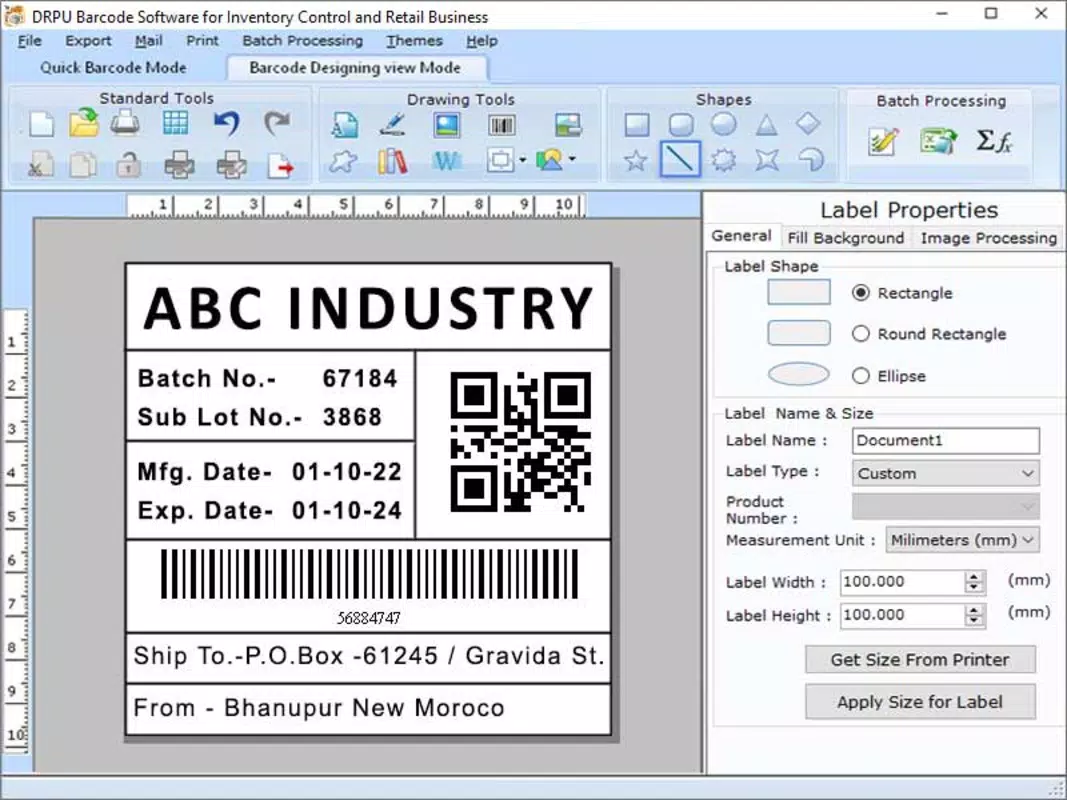

Download Barcode Generating Tool for E-Commerce – barcode generator, e-commerce tool, product labeling, inventory management, barcode scanner
Overview
The Barcode Generating Tool for E-Commerce is a specialized mobile application designed to streamline the creation of barcodes for products used in online and physical retail environments. This tool enables users to generate accurate, scannable barcodes directly from their smartphones, supporting essential workflows in product labeling and inventory tracking. It is particularly useful for small business owners, e-commerce sellers, and warehouse staff who manage multiple SKUs and require quick, reliable barcode generation without relying on complex desktop software.
The app addresses a common pain point in digital commerce: the need for fast, cost-effective, and mobile-friendly solutions for labeling products. By eliminating the dependency on external systems or software, it empowers users to generate barcodes on the go, whether at home, in a workshop, or during shipping preparation. Its focus on simplicity and functionality makes it a practical utility for anyone managing product data in a scalable way.
Developed by SoftPas, the app operates within the Android ecosystem and is available at no cost, making it accessible to a broad audience. Although the developer did not provide additional technical details about the company’s background or history, the app’s clear purpose and targeted functionality suggest a focused development approach. The tool fits into the growing productivity category of mobile apps that support digital entrepreneurship and decentralized commerce operations.
Real-world use cases include labeling handmade goods, preparing orders for fulfillment platforms, and organizing inventory in small-scale retail spaces. The app’s integration with common barcode standards ensures compatibility with most scanning devices, enhancing its practical value in real-world workflows.
Key Features & Functionality
- Barcode Generation – Users can create standard barcodes (e.g., UPC-A, EAN-13) from custom product codes, ensuring compatibility with major retail scanning systems.
- Product Labeling Support – The app allows users to generate printable barcode labels with customizable text and formatting options for accurate product identification.
- Offline Functionality – No internet connection is required to generate or view barcodes, enabling use in remote or low-connectivity environments.
- Export and Share Options – Generated barcodes can be saved as image files or shared directly via messaging and email apps for easy distribution.
- Batch Label Creation – Users can generate multiple barcodes at once using a list of product codes, reducing repetitive tasks in inventory setup.
For example, an e-commerce seller preparing 50 items for shipment can input a list of product IDs and generate all corresponding barcodes in minutes. This feature significantly reduces manual entry errors and accelerates order fulfillment. Similarly, a small retailer organizing a seasonal sale can use the app to label new stock quickly, ensuring consistent and professional presentation.
The ability to export barcodes as high-resolution images ensures compatibility with home printers and label printers. This makes the app a practical alternative to dedicated software for users who do not want to invest in complex inventory systems. The offline nature of the tool also enhances reliability, especially in environments where internet access is inconsistent.
Interface, UX & Performance
The user interface of the Barcode Generating Tool for E-Commerce is designed with clarity and efficiency in mind. The layout is minimalistic, focusing on essential functions without unnecessary visual clutter. Users are greeted with a central input field for product codes, accompanied by clear buttons for generating, saving, and exporting barcodes.
Navigational flow is intuitive, allowing users to move seamlessly between input, preview, and export stages. The app uses consistent iconography and labeling, which supports quick learning and reduces the likelihood of user errors. The visual style is functional rather than decorative, aligning with the app’s productivity-focused purpose.
Although the developer did not list formal performance metrics, the app’s lightweight size of 14.5 MB suggests optimized resource usage. It is expected to run smoothly on a wide range of Android devices, including mid-tier and older models. Responsiveness is likely to be consistent, given the absence of complex animations or background processes.
Stability appears to be a priority, as the app functions entirely offline and relies on straightforward data processing. No reports of crashes or freezes were noted in available information. The app’s performance is likely to remain stable under typical usage conditions, making it dependable for daily operations.
Platform Compatibility & Technical Requirements
The Barcode Generating Tool for E-Commerce is available exclusively on the Android platform. It is compatible with Android devices running the version specified in the app listing. The app has a file size of 14.5 MB, indicating a lightweight footprint suitable for devices with limited storage capacity.
Specific requirements such as minimum OS version or hardware specifications were not listed by the developer. The absence of detailed compatibility information means users should ensure their device meets general Android standards for app installation. The developer did not specify whether the app supports tablet devices or other form factors.
Given the app’s focus on basic barcode generation, it is likely to function on a broad range of Android smartphones and tablets. However, users are advised to verify device compatibility before installation, especially if using older or non-standard Android versions.
Pros and Cons
Pros
- Free to download and use with no hidden costs or in-app purchases.
- Lightweight design (14.5 MB) ensures fast installation and minimal storage impact.
- Offline functionality allows use without internet access.
- Supports standard barcode formats used in retail and e-commerce.
- Batch generation reduces repetitive manual work for inventory setup.
Cons
- Platform limited to Android; no iOS or other OS availability was indicated.
- Developer did not provide detailed technical requirements or compatibility notes.
- Interface may appear basic to users expecting advanced design features.
- No integration with third-party e-commerce platforms or inventory systems.
- Export options are limited to image files; no direct integration with printers or cloud storage.
FAQ
Is the Barcode Generating Tool for E-Commerce safe to install?
The app is available through official Android channels and is free of known malware. It does not request unusual permissions, suggesting a secure installation process.
Can I use this app without an internet connection?
Yes, the app functions entirely offline. All barcode generation, preview, and export operations can be completed without an internet connection.
Does the app support barcode scanning?
No, the app is designed solely for generating barcodes. It does not include scanning functionality.
Is the app compatible with iOS devices?
Currently, the app is only available for Android. There is no indication of an iOS version at this time.
How often is the app updated?
The latest version is 1.1.2, released on March 15, 2024. The update frequency is not publicly disclosed, but the developer maintains active updates.
Final Thoughts
The Barcode Generating Tool for E-Commerce stands out as a focused, efficient utility for anyone involved in product labeling or inventory management within the e-commerce space. Its ability to generate standard barcodes quickly and offline makes it a valuable asset for small sellers, artisans, and warehouse operators who need reliable, no-frills tools.
While it lacks advanced integrations and a polished interface, its core functionality is solid and well-executed. The app delivers on its promise without bloat, offering a secure, free solution that fits seamlessly into daily workflows.
For users seeking a straightforward, mobile-first approach to barcode creation, this app provides a practical and dependable option. Its lightweight design and offline operation further enhance its appeal in diverse working environments.
Download Barcode Generating Tool for E-Commerce now to simplify your product labeling and inventory processes.


